Dashboard Tour
Your ClaryNext dashboard is your hub for managing activities and tracking progress.
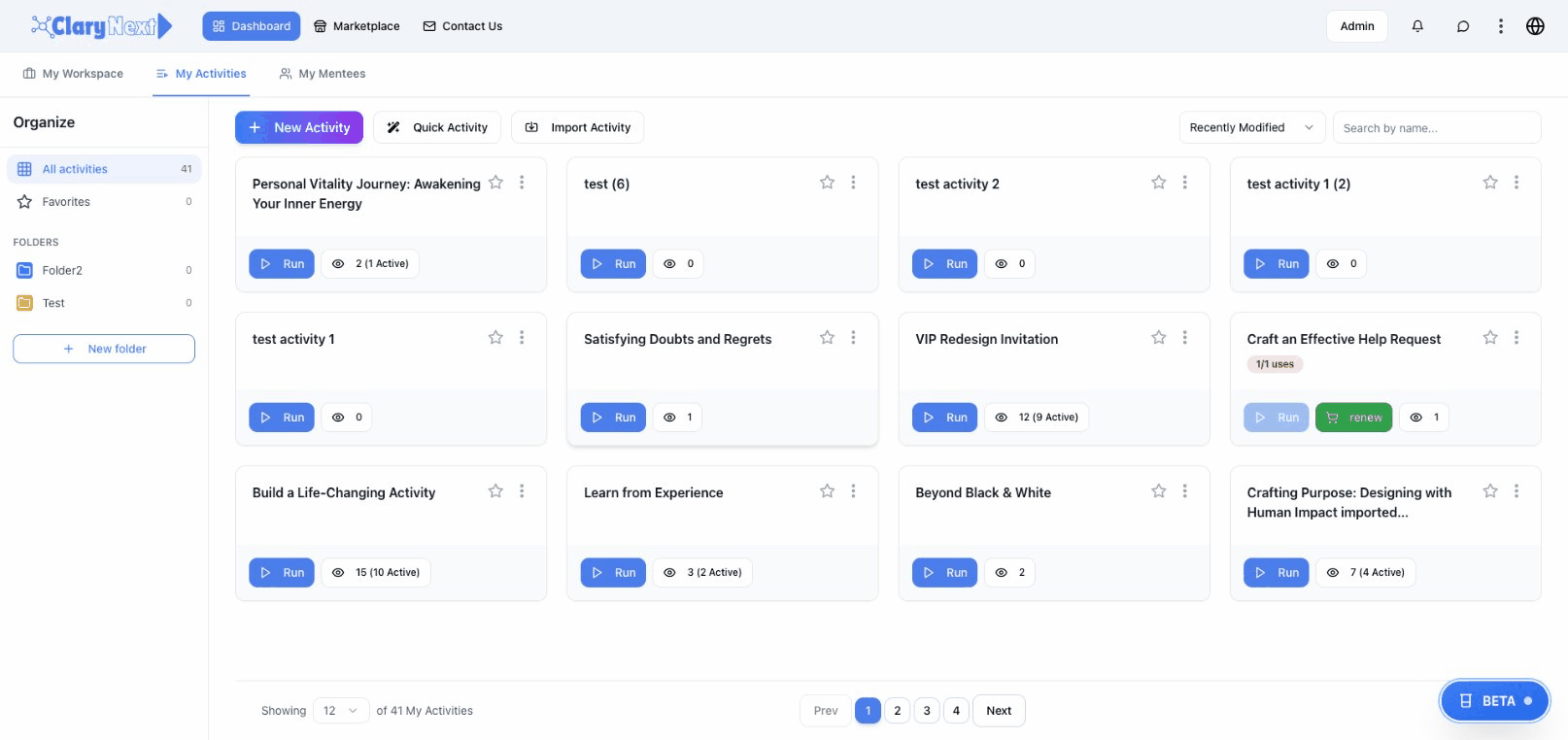
Main Sections
When you log in, you'll see these main areas:
- My Activities — Your personal activity library
- Workspace — Action items, insights, and reminders
- Marketplace — Browse and purchase activities
- Design — Create activities (for authors)
Navigation Bar
Top Bar
- Dashboard — Return to home view
- Portal — Your activity overview
- Marketplace — Find activities
- Design — Activity designer (if you're an author)
User Menu
Click your profile picture to access:
- Profile settings
- Language preference
- Theme (light/dark mode)
- Sign out
My Activities
Activities appear as cards showing:
- Title and author
- Progress percentage (for in-progress activities)
- Last accessed date
Activity Actions
Hover over an activity card to:
- Resume/Start — Continue or begin the activity
- View Details — See full description
- Add to Favorites — Mark for quick access
Activity Categories
- In Progress — Activities you've started
- Completed — Activities you've finished
- Favorites — Activities you've marked
- Shared With Me — Activities others have shared
Workspace
Quick access to your saved items:
- Action Items — Tasks from activities with AI help features
- Insights — Saved learnings and reflections
- Reminders — Scheduled notifications
Learn more about the Workspace →
Portal View
The Portal provides different views of your activities:
- Grid View — Cards in a grid
- List View — Detailed list
- Filter by status, category, or author
Quick Actions
Common shortcuts from the dashboard:
- Start a new activity
- Continue your most recent activity
- Check pending action items
- Browse the marketplace
Next Steps
- Run Activities — Deepen your practice
- Manage Workspace — Track your progress
- Browse Marketplace — Find new activities